Automated Morning: Integrating the Atomi AT1536 into Your Smart Home

Atomi AT1536 Smart WiFi Coffee Maker
The gap between a good morning and a bad one is measured in seconds. The 90 seconds you spend standing at the kitchen counter, watching coffee drip through, wondering if you remembered to set the timer the night before. The seconds of fumbling with a filter basket, measuring scoops by muscle memory, squinting at water-level markings through half-open eyes. Added together over a year, those seconds become hours. Time that could have gone to anything else.
A smart coffee maker approaches this problem with a mechanical philosophy: the kitchen should already be working before you are. Not in a showy, everything-talks-to-everything way, but in a practical sense. Water heated. Grounds saturated. Coffee waiting in the carafe. The machine functions as a timer, a brewer, a WiFi node, and a voice-command endpoint, folded into a footprint that sits under a kitchen cabinet.
But connecting a coffee pot to a home network is not like connecting a phone. This machine operates exclusively on the 2.4GHz band, inheriting the familiar quirks of IoT devices: routers that merge bands into a single SSID, phones that default to 5GHz, setup apps that demand a specific sequence of operations. This is the biggest source of user frustration, and it is also the most fixable problem once you understand what is happening at the physical layer. The idea of an automated morning integrating atomi connectivity into an existing home network sounds appealing on paper, but the path from initial setup to first brew requires navigating a few technical decisions that the marketing copy skips over.
The Automated Morning: Integrating the the device into Your Smart Home

This coffee maker belongs to a category I think of as programmable infrastructure -- devices that execute a sequence of events on a schedule without ongoing human attention. A thermostat that drops the temperature at 11 PM and raises it again at 6 AM. A porch light that turns on at sunset. The coffee maker works the same way, but with a sensory dimension that thermostats and lights lack.
Coffee's smell is an unusually potent wake-up signal. The olfactory system connects directly to the brain's limbic regions, skipping the thalamus -- the usual relay station for sensory input. This means smell triggers emotional and memory responses faster than sight or sound. When the brew cycle starts at 6:15 AM from the kitchen counter, the aroma reaches your bedroom before the alarm goes off, priming your brain for wakefulness. Sleep researchers call this sensory priming, and it reduces the grogginess of sleep inertia more effectively than a loud alarm on its own.
The scheduling engine handles something that traditional drip makers with 24-hour timers cannot: variable daily patterns. Set it for 6:00 AM Monday through Friday, 8:30 AM on Saturday, and 9:00 AM on Sunday. No nightly resetting. No wondering whether you pressed the right button before bed. This is the actual value -- not remote control as a gimmick, but the elimination of a recurring decision from your evening routine.
An automated morning integrating atomi hardware into a wider home routine turns the coffee maker into one node in a chain of events. A smart bulb fades on. The thermostat nudges upward. A speaker reads the weather. The coffee maker handles its specific job -- brewing -- and hands off to whatever comes next. The machine is not the centerpiece of the show. It is the part you do not have to think about.
The Connection Hurdle: Mastering the 2.4GHz Band
Wireless communication inside a home is a physics problem dressed as a convenience. The two bands available to most consumer routers -- 2.4GHz and 5GHz -- represent a straightforward tradeoff between speed and penetration. At 5GHz, data moves faster, which is why phones and laptops prefer this band for streaming and downloads. But 5GHz waves are roughly half the wavelength of 2.4GHz waves. They bounce off solid surfaces more readily and attenuate quickly through drywall.
A coffee maker sits in a kitchen -- a room dense with reflective surfaces and structural obstacles. Stainless steel appliances. Tile backsplashes. Multiple walls between the counter and wherever the router lives. For this environment, 2.4GHz is the right engineering choice. Its longer wavelength pushes through cabinetry, appliances, and walls with far less signal loss. The machine does not need bandwidth. It needs a few kilobytes of data, sent once, to receive a "start brewing" instruction. Reliability beats speed every time.
The problem arises because modern routers try to be helpful. They broadcast both bands under one network name, and your phone connects to the 5GHz band by default. When you open the companion app to pair the coffee maker, your phone sits on one frequency while the device listens on another. They never find each other.
The fix takes five minutes once you know the steps. First, log into your router's administration panel -- usually at 192.168.0.1 or 192.168.1.1. Find the wireless settings and look for an option labeled band steering, smart connect, or combined SSID. Disable it. This splits your network into two visible names, such as MyHome-2.4 and MyHome-5. Second, on your phone, forget the combined network and connect specifically to the 2.4GHz version. Third, run the pairing process in the app. Fourth, after pairing succeeds, re-enable band steering and reconnect your phone to the combined SSID. The coffee maker stores its credentials and stays on 2.4GHz regardless.
A practical tip from user reviews: during setup, the app asks whether you are located in the US or "other." One reviewer found that selecting "other" resolved a persistent connection failure, even while physically in the United States. The region selector may control which WiFi channels the device scans, and some router configurations handle US-channel expectations differently than what the firmware expects.

Once connected, this coffee maker becomes addressable -- by the app, by voice assistants, and by automation routines. But before voice control, there is the question of what happens inside the brew basket, which has its own layer of engineering worth examining.
Brew Science: Regular vs. Strong -- The Pulse Brewing Advantage
This machine offers two brew modes: Regular and Strong. These are not marketing labels pasted onto a toggle switch. They correspond to two different fluid-dynamic strategies inside the brew chamber, and choosing the wrong one for your beans produces noticeably different coffee.
Regular mode uses continuous water flow. The heating element brings water to brewing temperature, and the pump pushes it through the showerhead in a steady stream. Total contact time between water and grounds is short -- typically two to four minutes depending on cup count. This is standard drip-coffee behavior, and it works well for darker roasts and pre-ground supermarket coffee, where the goal is reliable extraction without pulling bitter, over-extracted compounds.
Strong mode engages a pulse-brewing cycle. The machine sprays water onto the grounds, pauses for several seconds to let the coffee bed absorb and swell, then sprays again. This pause-and-spray rhythm repeats throughout the brew cycle. The result is longer total contact time, which pulls additional solubles from the grounds: more caramelized sugars, more heavy-body compounds that give coffee its mouthfeel and finish.
Pulse brewing is not unique to smart coffee makers -- it is a well-established technique in specialty coffee. Manual pour-over brewers control the kettle to achieve the same effect: pour, wait for the bloom to subside, pour again. This machine automates that rhythm inside a drip maker.
Bean selection matters for mode choice. Pre-ground coffee from a canister leans toward Regular mode. The grind size is engineered for standard drip machines, and extended contact time risks pulling astringent, bitter notes from the finer particles. If you grind your own beans -- especially a medium roast with a visible roast date on the bag -- Strong mode unlocks the complexity the roaster intended. During Strong mode, you can hear the difference: the pump cycles on and off in a rhythmic pattern, distinct from the steady hum of Regular mode.
One reviewer noted that the coffee could be hotter. Brew temperature is not adjustable here, which is a limitation if you prefer your coffee at the upper end of the 195-to-205-degree-Fahrenheit brewing range. The warming plate keeps coffee hot for up to four hours before shutting off automatically. This four-hour window is both a safety feature and a practical ceiling. Coffee held on a warming plate beyond four hours undergoes chemical changes that produce flat, bitter flavors.

Voice Control Integration: Alexa and Google Home
Once the coffee maker is registered in the companion app and connected to WiFi, it becomes available to both Alexa and Google Assistant. The integration works through a skill or action that links your account to the voice assistant -- a process with one small friction point worth flagging.
When linking accounts, the app shows a login screen. This screen expects your app credentials -- the email and password you created when first setting up the app. It does not want your Amazon.com or Google account password. Multiple reviewers reported confusion on this screen, and the app does not explicitly clarify which credentials to use.
Once linked, the voice syntax is straightforward. "Alexa, turn on the coffee maker" starts the brew. "Alexa, turn off the coffee maker" shuts everything down. Google Assistant works identically with "Hey Google, turn on the coffee maker." The commands are parsed as on/off toggles. Brew strength and scheduling remain app-only functions -- voice control does not extend that far.
The deeper capability appears when you wire the coffee maker into Alexa Routines. A Routine is a trigger-action chain: when one event fires, Alexa executes a sequence of commands. A morning routine could activate a bedroom lamp at 20 percent brightness, read the day's calendar, set the thermostat, and turn on the coffee maker -- all triggered by a single time event or a spoken phrase like "Alexa, good morning."
One reviewer described using a second Routine scheduled 15 minutes after the brew-start command to automatically turn the coffee maker off. This prevents the warming plate from continuing to cook the coffee if the pot has already been poured -- a practical workaround for the fixed four-hour warming window when you only need the coffee hot for a short stretch.
The app also supports push notifications. When the brew cycle completes, a coffee-ready alert goes to your phone. If you wear an Apple Watch paired to that phone, the notification appears on your wrist. You do not need to be near your phone or within earshot of the beep to know your coffee is waiting.
The Smart App Ecosystem: Scheduling, Notifications, and Multi-User

The companion app is the configuration layer between you and the hardware. It serves a utilitarian function, and knowing its capabilities and limits upfront saves time.
Scheduling is the centerpiece. Create daily and weekly brew schedules through the app: 6:15 AM Monday through Friday, and a separate 8:00 AM schedule for weekends. The machine stores these schedules locally. Once configured, your phone does not need to be nearby, the app does not need to be open, and the coffee maker runs its schedule autonomously.
Notifications are configurable. The app sends a coffee-ready alert when brewing finishes. You can set a Do-Not-Disturb schedule to suppress notifications during specific hours -- preventing a 3:00 AM test brew from triggering an unnecessary alert.
Multi-user sharing is where the interface becomes less intuitive. By default, the coffee maker is only visible to the account that performed the initial setup. To give another household member access, you configure a "Home" within the app, add a "Room" such as Kitchen, assign the coffee maker to that room, and then invite the other person via their account email. Once they accept, they can control the device from their own phone. Giving the other person home admin privileges lets them add and manage devices independently.
The app has known rough edges. It is rigid about operation order during setup: you must complete each step in sequence, and the app does not always indicate which step went wrong when something fails. During WiFi pairing, if your phone has latched onto the coffee maker's temporary setup network from a previous attempt, the app may silently stall rather than warning you to switch back to your home network. A technically inclined user spots this by checking the phone's WiFi settings. A non-technical user may spend an hour retrying.
System requirements are modest: iPhone 8 or newer with iOS 8 or higher, or Android 4.1x or above. The coffee maker connects directly to your router without a hub, and it automatically reconnects after a power outage without requiring a new pairing.
For anyone pursuing an automated morning integrating atomi devices into a multi-user household, the Home and Room configuration step is worth completing during initial setup rather than discovering it weeks later when a family member wants to start the coffee from their own phone.
Sustainability and Hardware Design: The Reusable Filter Advantage
The coffee maker ships with a gold-tone mesh filter that replaces disposable paper filters. This is at once an environmental choice and a flavor decision, and the flavor side matters more than most people assume.
Paper filters do more than catch grounds. The cellulose fibers absorb coffee oils -- the lipids that carry much of a coffee's body and mouthfeel. A paper filter traps roughly 10 to 15 percent of these oils, producing a cleaner but lighter-bodied cup. A metal mesh filter lets those oils pass through into the carafe. The result is a richer texture with a heavier finish. This is not universally better or worse -- it is a different profile, and one that many morning coffee drinkers prefer for the added body.
The practical angle is just as meaningful. Running out of paper filters is a specific kind of morning defeat. You have coffee. You have water. You have a functioning machine. And you are stopped by a missing consumable. The reusable filter eliminates this failure mode entirely. It rinses clean under a faucet, and both the carafe and filter basket are dishwasher-safe.
The glass carafe holds 12 cups, and the machine can brew as few as two by adjusting the water level. A spill-free sensor blocks the brew cycle if the carafe is not fully seated on the warming plate -- a mechanism that prevents coffee from brewing directly onto the counter. The Pause and Serve feature lets you pull the carafe mid-brew to pour a cup without dripping from the basket.

Physically, the machine measures 8 inches deep by 8.5 inches wide by 13.6 inches tall, compact enough for most under-cabinet installations. The housing uses BPA-free materials with a stainless steel accent panel. The control surface is a touchscreen rather than mechanical buttons. No tactile feedback, which some users find less satisfying, but also no crevices for coffee grounds to wedge into -- a small long-term durability advantage.
Who Should (and Shouldn't) Buy the the device
No product suits everyone, and a WiFi-connected coffee maker sits at an unusually sharp intersection of expectations. Here is a framework for deciding whether this machine belongs on your counter.
The ideal user values a predictable morning and is willing to spend 15 to 20 minutes on initial setup to eliminate daily manual tasks. The product makes the most sense in households already using Alexa or Google Home, where voice control adds a layer of hands-free convenience. It also suits people with irregular wake-up times -- shift workers, freelancers, parents of young children -- who cannot rely on a fixed timer but still want coffee ready when they get up.
Hardware limitations deserve honest acknowledgment. The machine runs on 120-volt, 60-hertz US power only. It will not work in the UK, Europe, or most of Asia without a voltage converter, and using a converter with a heating appliance is not a safe configuration. The warming plate cannot be reactivated remotely once the four-hour timer expires. There is no way to reheat a partial pot from your phone -- the machine can only start a full brew cycle, which requires water in the reservoir and grounds in the basket. If you left half a pot and want it hot when you get back from an errand, this machine cannot do that.
Warranty information contains a discrepancy: the product specifications list a two-year limited warranty against defects in materials and workmanship, while Atomi's marketing text references a five-year limited warranty. The written terms that ship with your unit are the ones that apply.
Across 586 ratings, the product averages 3.8 out of 5 stars, which tells a specific story. Users consistently praise the coffee's taste, the voice-assistant compatibility, and the scheduling reliability. Criticisms cluster around three areas: the WiFi setup process, the brewing speed, and the maximum coffee temperature. These are not hidden defects. They are tradeoffs that flow directly from the design choices covered throughout this article. The 2.4GHz chip prioritizes range over ease of pairing. The brew cycle prioritizes extraction over speed. The temperature is fixed rather than adjustable.
If you own a burr grinder, buy single-origin beans from a local roaster, and treat water temperature and bloom time as variables worth controlling, this machine is not built for your workflow. A programmable drip maker cannot replicate the precision of a manual pour-over setup, and it is not trying to. But if your morning currently involves a traditional drip machine, a half-conscious scooping routine, and a standing wait for the brew light to turn off, this coffee maker removes those friction points. It replaces them with a notification and a pot that was ready before you were.
Atomi AT1536 Smart WiFi Coffee Maker
Related Essays
Automated Morning: Integrating the Atomi AT1536 into Your Smart Home

Alessi 9090/3 Stovetop Moka Pot: Technical Guide

When Spinning Replaces Pressure: The Physics Inside Centrifugal Coffee Brewing

Pour Over Coffee Maker: A Beginner's Path to a Better Cup at Home

Best Portable Coffee Grinders 2026: Travel & Camping Guide
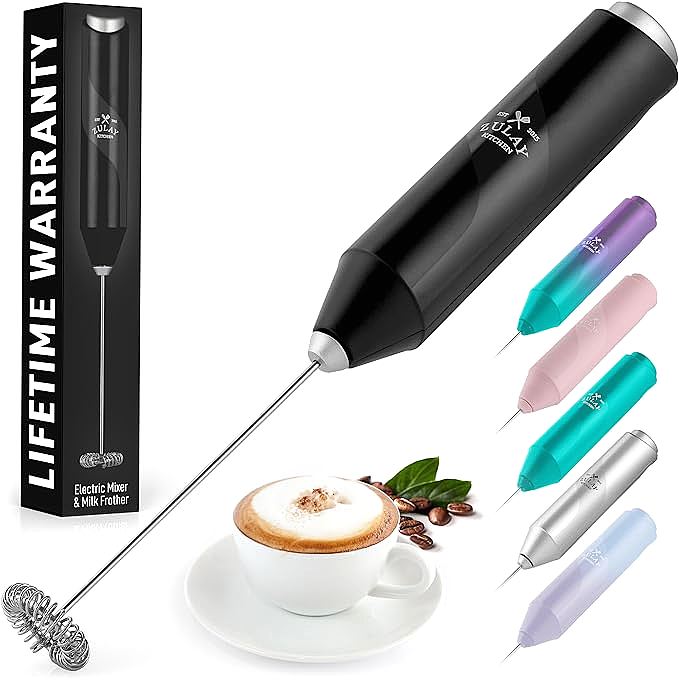
Zulay FrothMate: Create Perfect Milk Foam at Home, Explained by Science

The Dominican Greca: Traditional Cafecito Brewing, Heat Physics, and Care

When Your Kitchen Learns to Listen: The Hidden Engineering Behind Voice-Contr...

The Physics of Fast Coffee Brewing: How 350 Watts Achieves Sub-90-Second Extr...
